HTML Commands
html-report command
ထောက်လှမ်းတွေ့ရှိမှုများပါဝင်သော စည်းမျဉ်းများနှင့် ကွန်ပျူတာများအတွက် HTML အကျဉ်းချုပ် အစီရင်ခံစာများ ဖန်တီးပါ။ ဤ command သည် အကျဉ်းချုပ် အစီရင်ခံစာများ ဖန်တီးရန် လိုအပ်သော ဒေတာများကို မြန်ဆန်စွာ ရှာဖွေနိုင်ရန်အတွက် ဦးစွာ indexed DuckDB database file (default) သို့မဟုတ် SQLite database file တစ်ခုကို ဖန်တီးသည်။
- Input: JSONL
- Profile: Any verbose profile
- Output: ကွန်ပျူတာအမည်ပေါ်အခြေခံသည့် တစ်ခုချင်းစီသော HTML အကျဉ်းချုပ် အစီရင်ခံစာများနှင့်အတူ
index.htmlပင်မစာမျက်နှာ
လိုအပ်သော options:
-o, --output: html report directory name-r, --rulepath: Hayabusa rules directory သို့ path-t, --timeline <JSONL-FILE-OR-DIR>: Hayabusa JSONL timeline file သို့မဟုတ် directory
Options:
-C, --clobber: သိမ်းဆည်းရာတွင် database file ကို overwrite လုပ်ပါ (default:false)-q, --quiet: launch banner ကို မပြသပါ (default:false)-s, --dboutput: ရလဒ်များကို database file တစ်ခုသို့ သိမ်းဆည်းပါ (default:html-report.duckdbသို့မဟုတ်--sqliteဖြင့်html-report.sqlite)--skipProgressBar: progress bar ကို မပြသပါ (default:false)--sqlite: DuckDB အစား SQLite backend ကို အသုံးပြုပါ (default:false)
html-report command ဥပမာ
Hayabusa ဖြင့် JSONL timeline ကို ပြင်ဆင်ပါ:
သို့မဟုတ်
HTML အကျဉ်းချုပ် အစီရင်ခံစာများ ဖန်တီးပါ:
html-report screenshots
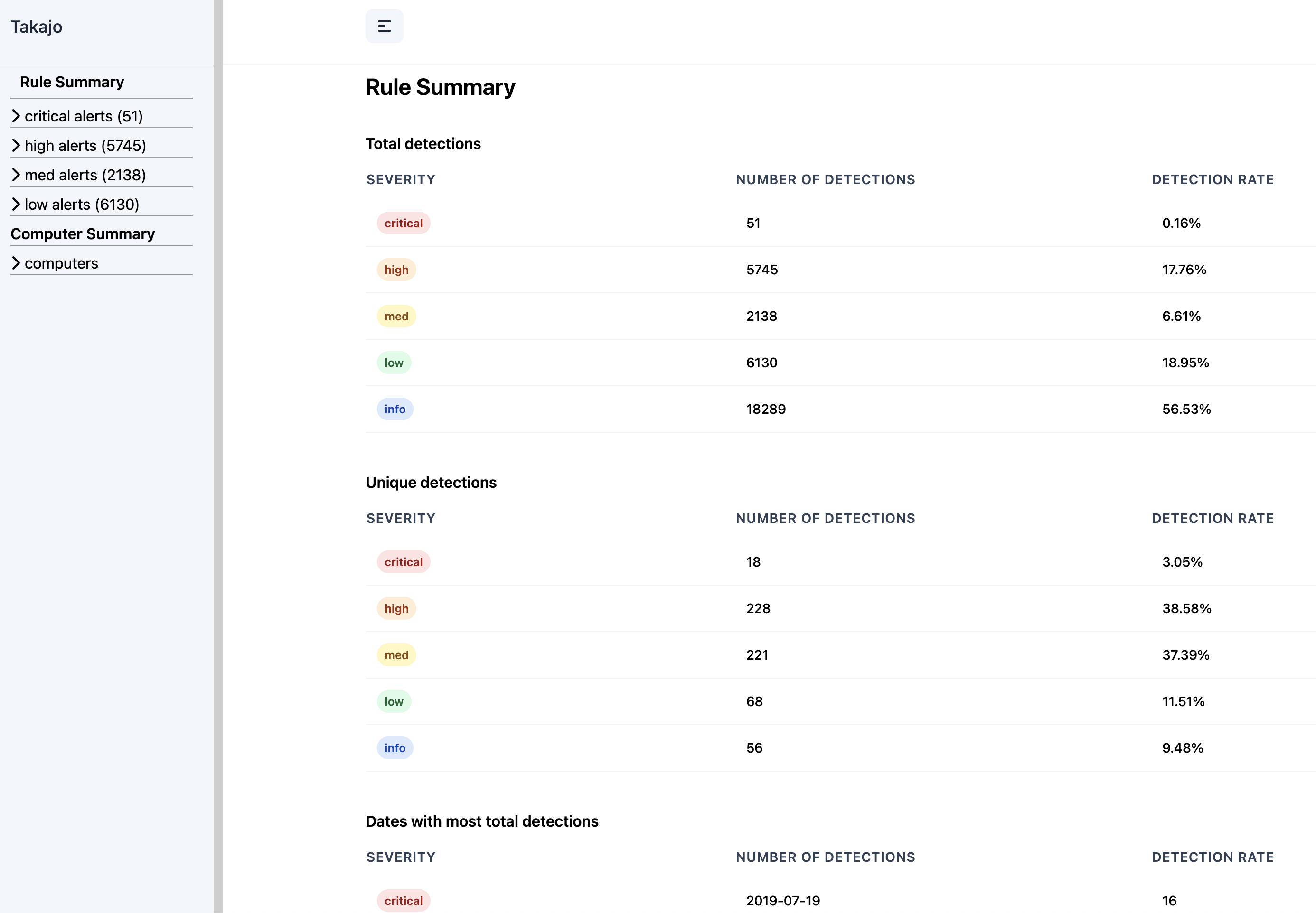
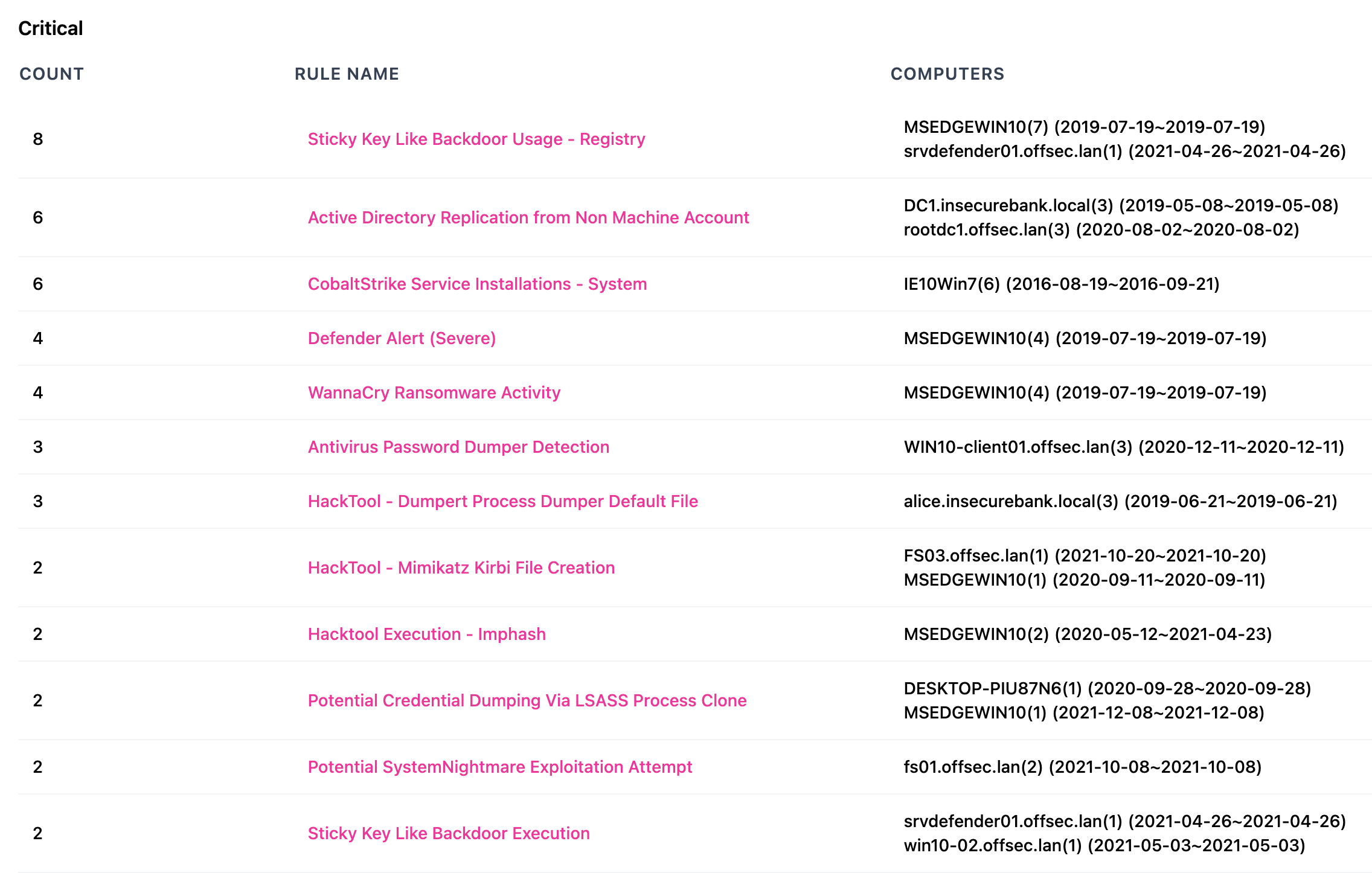
Rule Summary
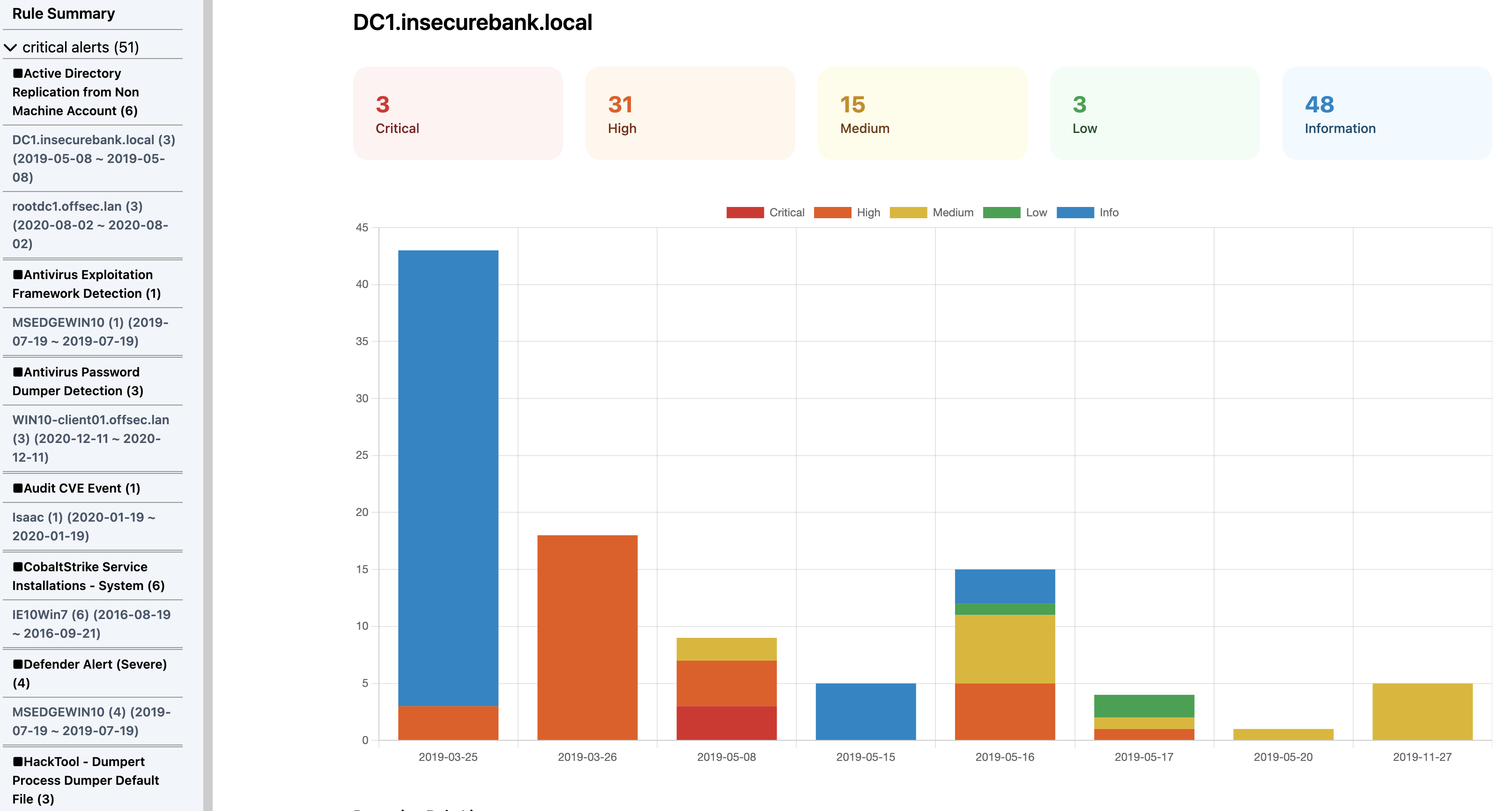
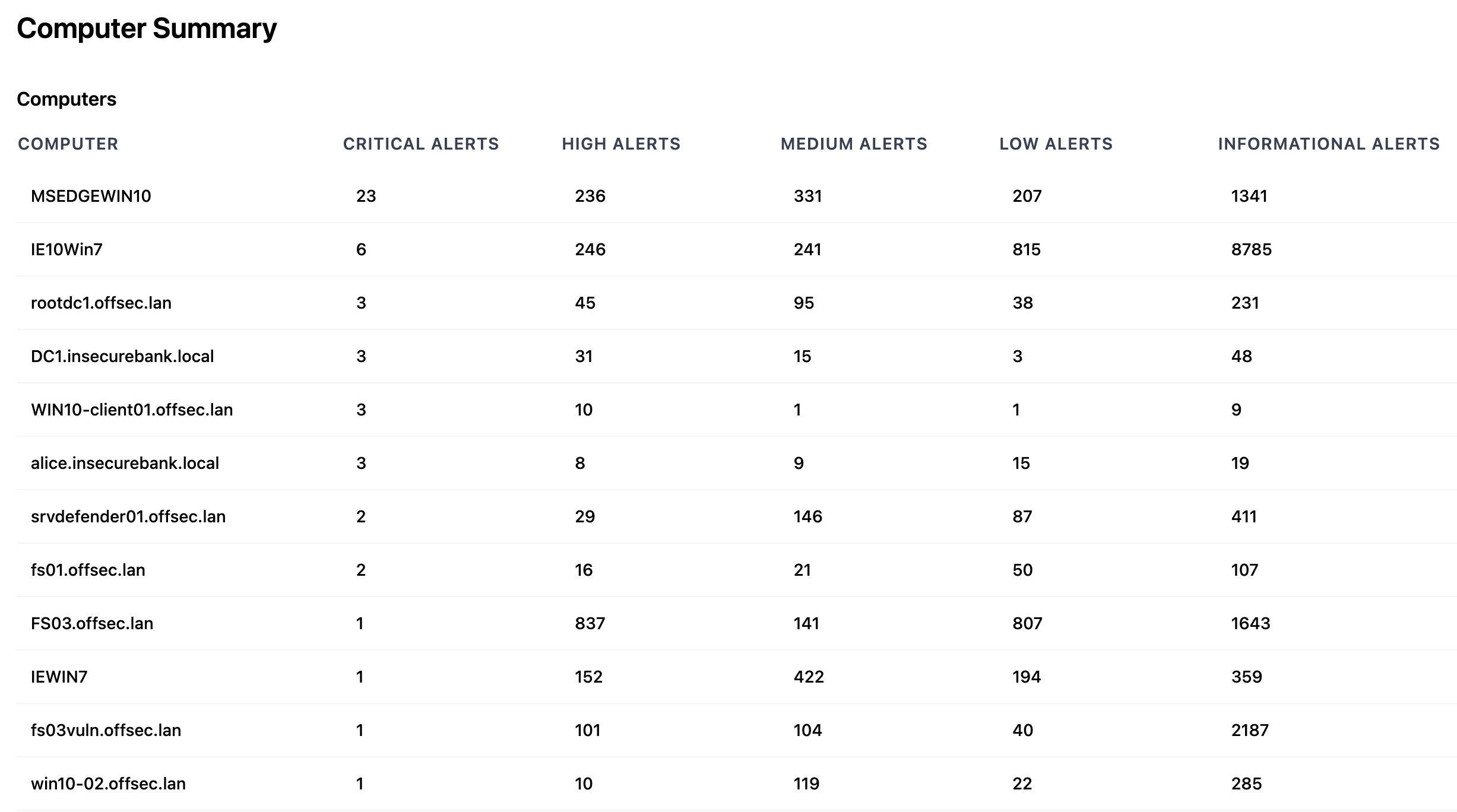
Computer Summary
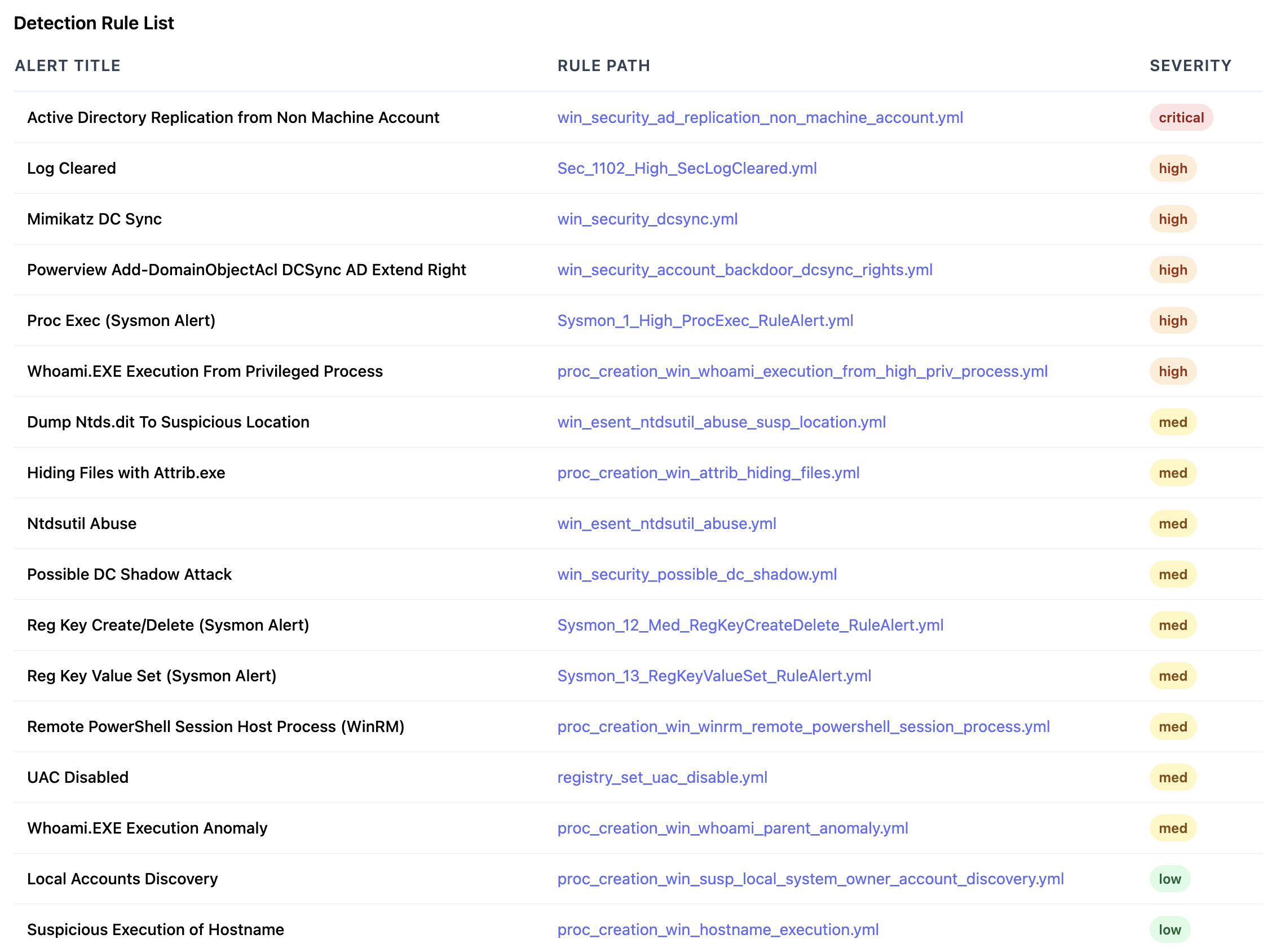
Rule List
html-server command
HTML အကျဉ်းချုပ် အစီရင်ခံစာများကို ကြည့်ရှုရန် dynamic web server တစ်ခု ဖန်တီးပါ။
ဤ command သည် အကျဉ်းချုပ် အစီရင်ခံစာများ ဖန်တီးရန် လိုအပ်သော ဒေတာများကို မြန်ဆန်စွာ ရှာဖွေနိုင်ရန်အတွက် ဦးစွာ indexed DuckDB database file (default) သို့မဟုတ် SQLite database file တစ်ခုကို ဖန်တီးသည်။
၎င်းသည် html-report command နှင့် ဆင်တူသော်လည်း ပိုမို scalable ဖြစ်ပြီး ရက်စွဲများနှင့် စည်းမျဉ်းများပေါ်တွင် filtering ပြုလုပ်နိုင်စေသည်။
- Input: JSONL
- Profile: Any verbose profile
- Output: ပုံမှန်အားဖြင့်
http://localhost:8823တွင် နားထောင်နေမည်
လိုအပ်သော options:
-t, --timeline <JSONL-FILE-OR-DIR>: Hayabusa JSONL timeline file သို့မဟုတ် directory
Options:
-C, --clobber: သိမ်းဆည်းရာတွင် database file ကို overwrite လုပ်ပါ (default:false)-p, --port: web server port number (default:8823)-q, --quiet: launch banner ကို မပြသပါ (default:false)-r, --rulepath: Hayabusa rules directory သို့ path (ဤအရာသည် optional ဖြစ်သော်လည်း rule files များသို့ မှန်ကန်သော links များ ဖန်တီးရန် လိုအပ်သည်)-s, --dboutput: ရလဒ်များကို database file တစ်ခုသို့ သိမ်းဆည်းပါ (default:html-report.duckdbသို့မဟုတ်--sqliteဖြင့်html-report.sqlite)--skipProgressBar: progress bar ကို မပြသပါ (default:false)--sqlite: DuckDB အစား SQLite backend ကို အသုံးပြုပါ (default:false)
html-report command ဥပမာ
Hayabusa ဖြင့် JSONL timeline ကို ပြင်ဆင်ပါ:
သို့မဟုတ်
web server ကို စတင်ပါ:
html-server screenshots
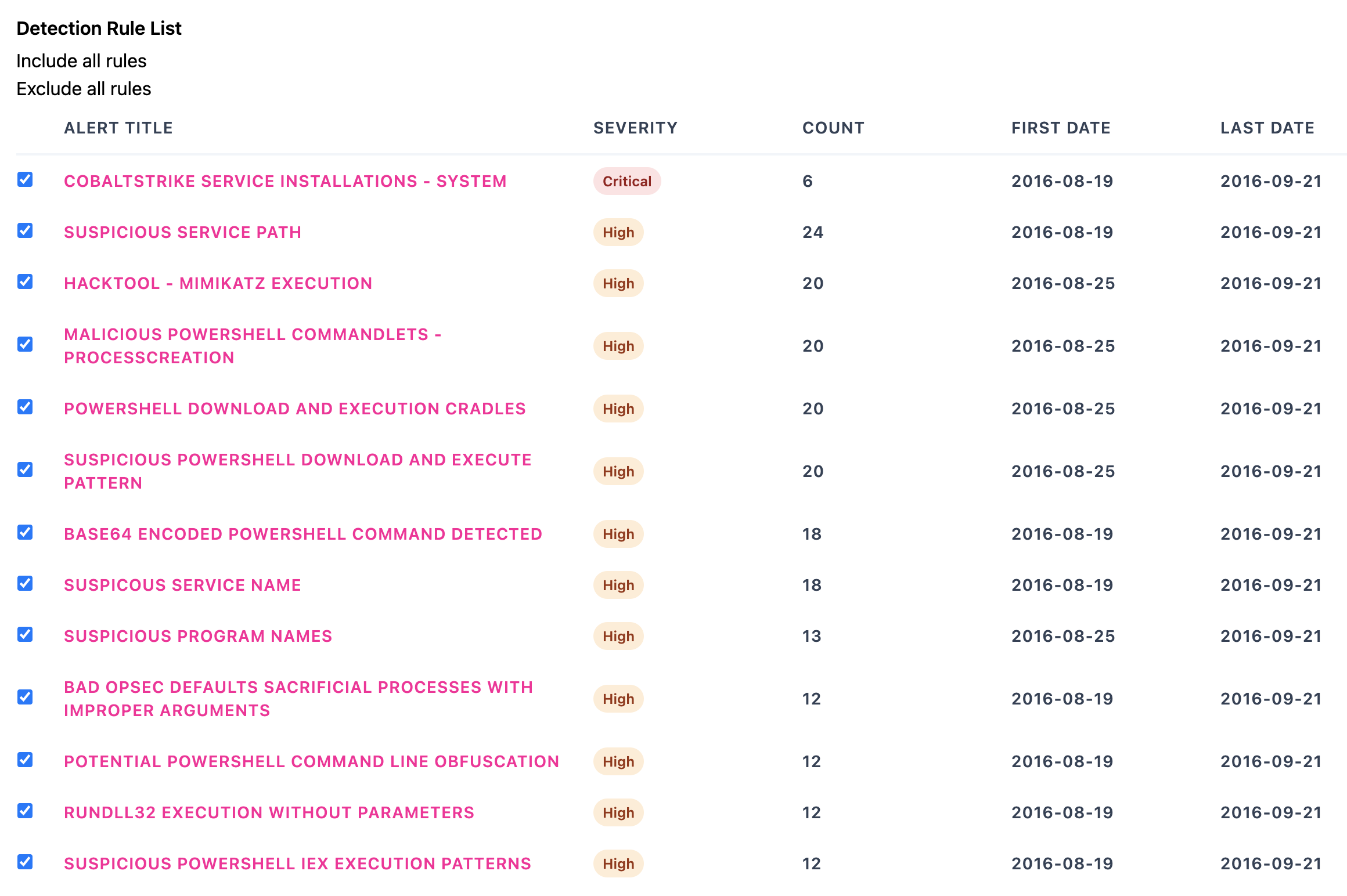
Rules List
Computer Summary
Rule Filtering
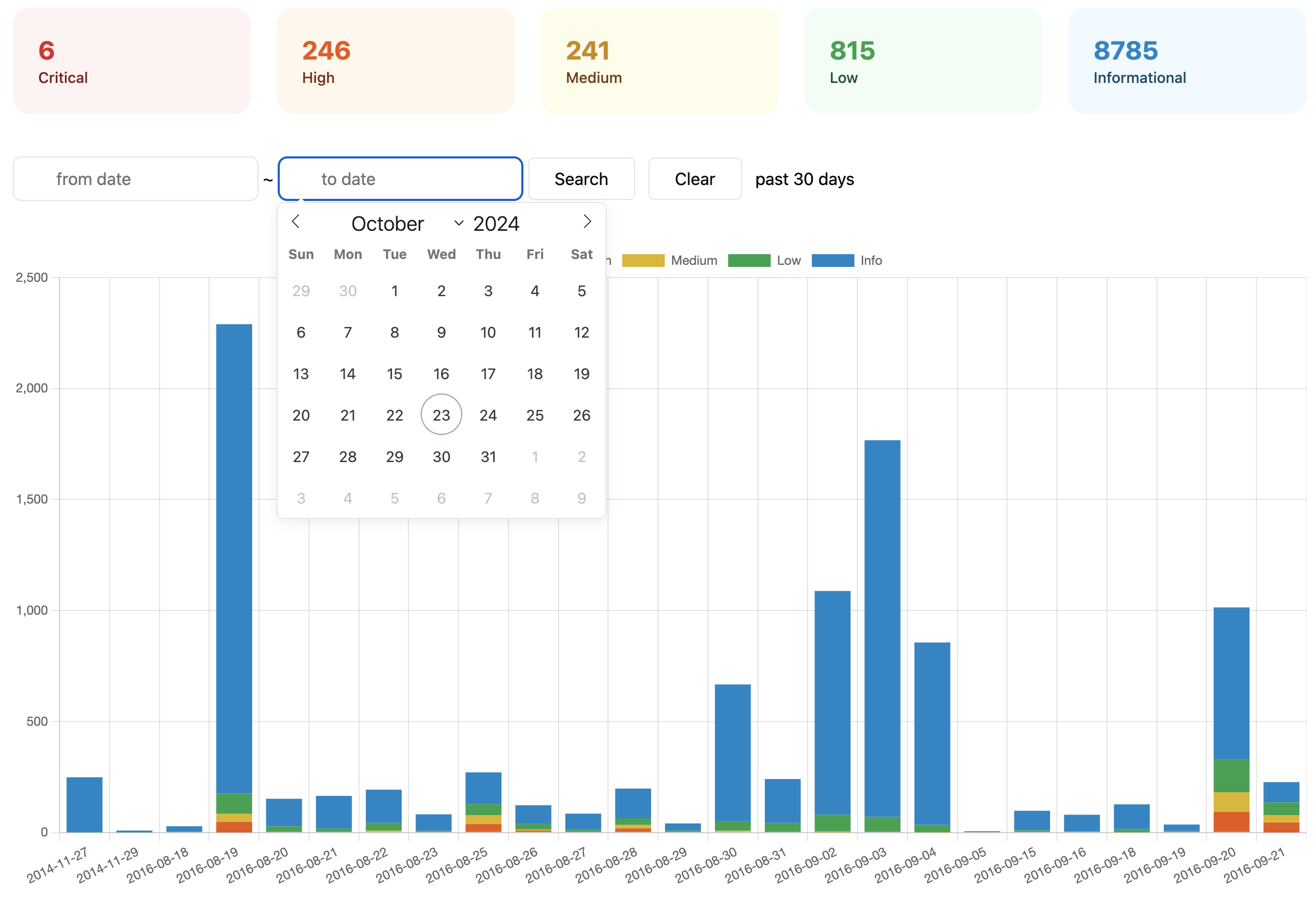
Rule Filtering