HTML Commands
html-report command
Create HTML summary reports for rules and computers with detections. This command first creates an indexed DuckDB database file (default) or SQLite database file in order to perform fast lookups on the data needed to create the summary reports.
- Input: JSONL
- Profile: Any verbose profile
- Output: Individual HTML summary reports based on computer name as well as an
index.htmlmain page
Required options:
-o, --output: html report directory name-r, --rulepath: path to the Hayabusa rules directory-t, --timeline <JSONL-FILE-OR-DIR>: Hayabusa JSONL timeline file or directory
Options:
-C, --clobber: overwrite the database file when saving (default:false)-q, --quiet: do not display the launch banner (default:false)-s, --dboutput: save results to a database file (default:html-report.duckdborhtml-report.sqlitewith--sqlite)--skipProgressBar: do not display the progress bar (default:false)--sqlite: use SQLite backend instead of DuckDB (default:false)
html-report command example
Prepare the JSONL timeline with Hayabusa:
or
Create the HTML summary reports:
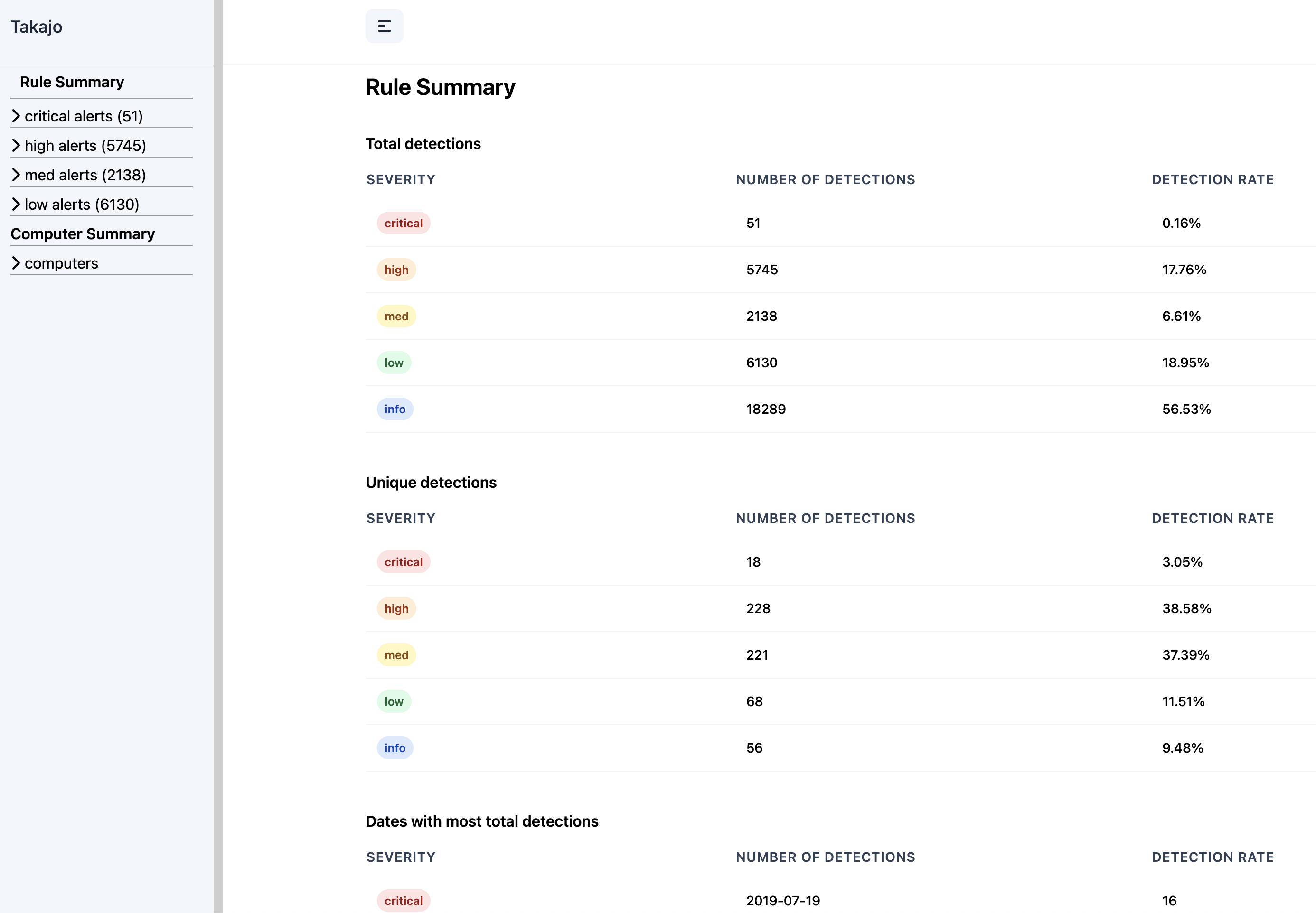
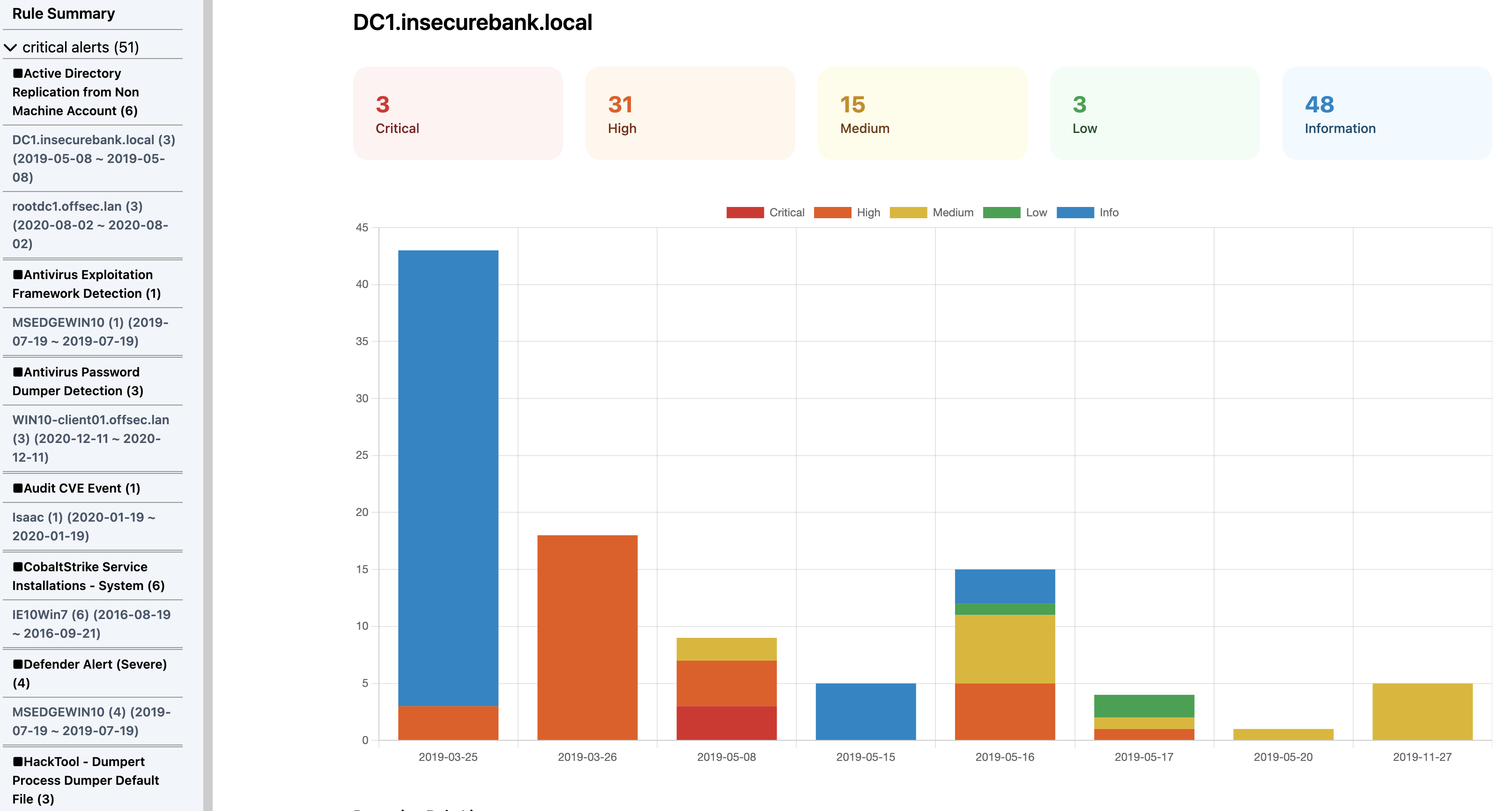
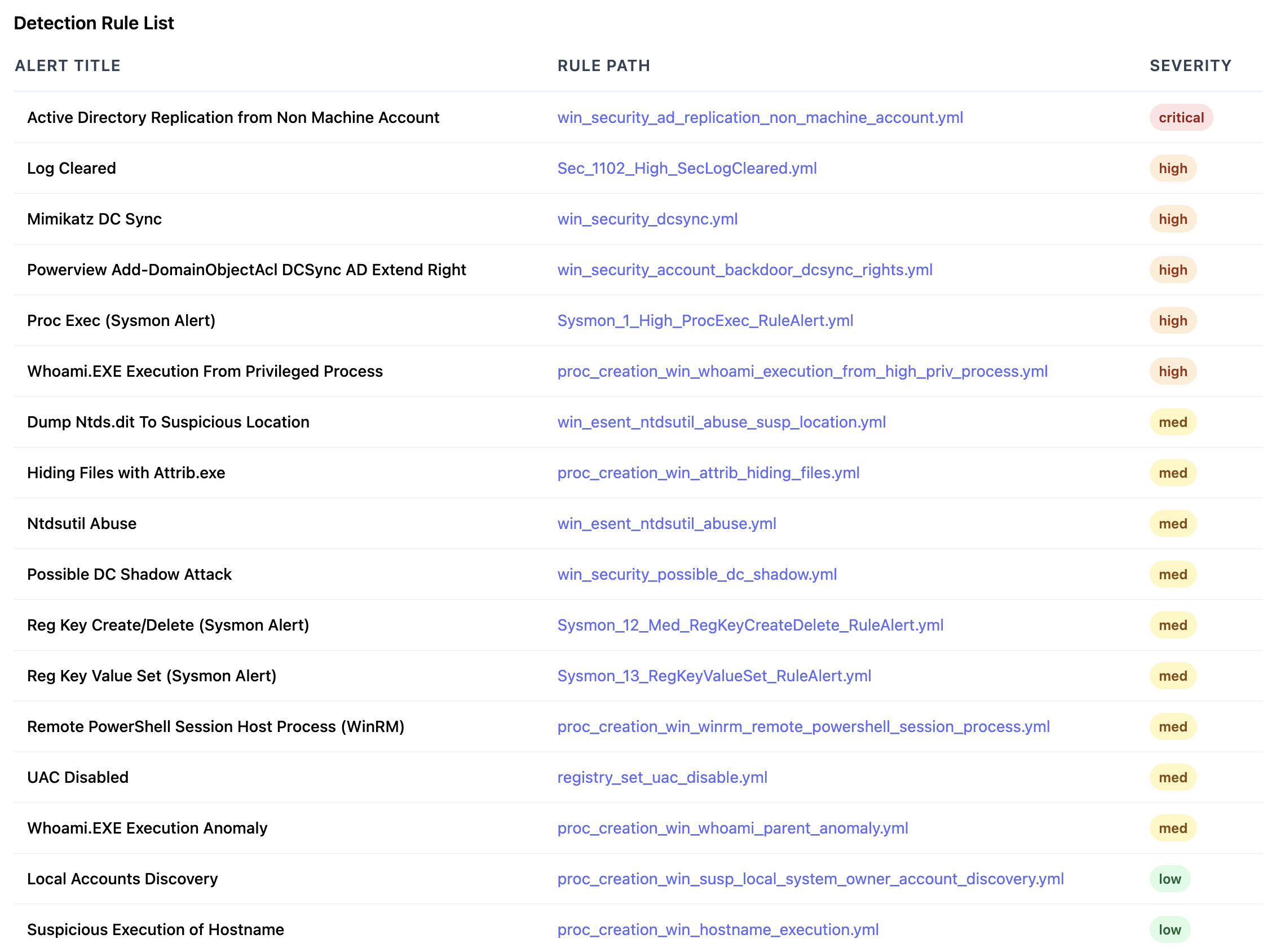
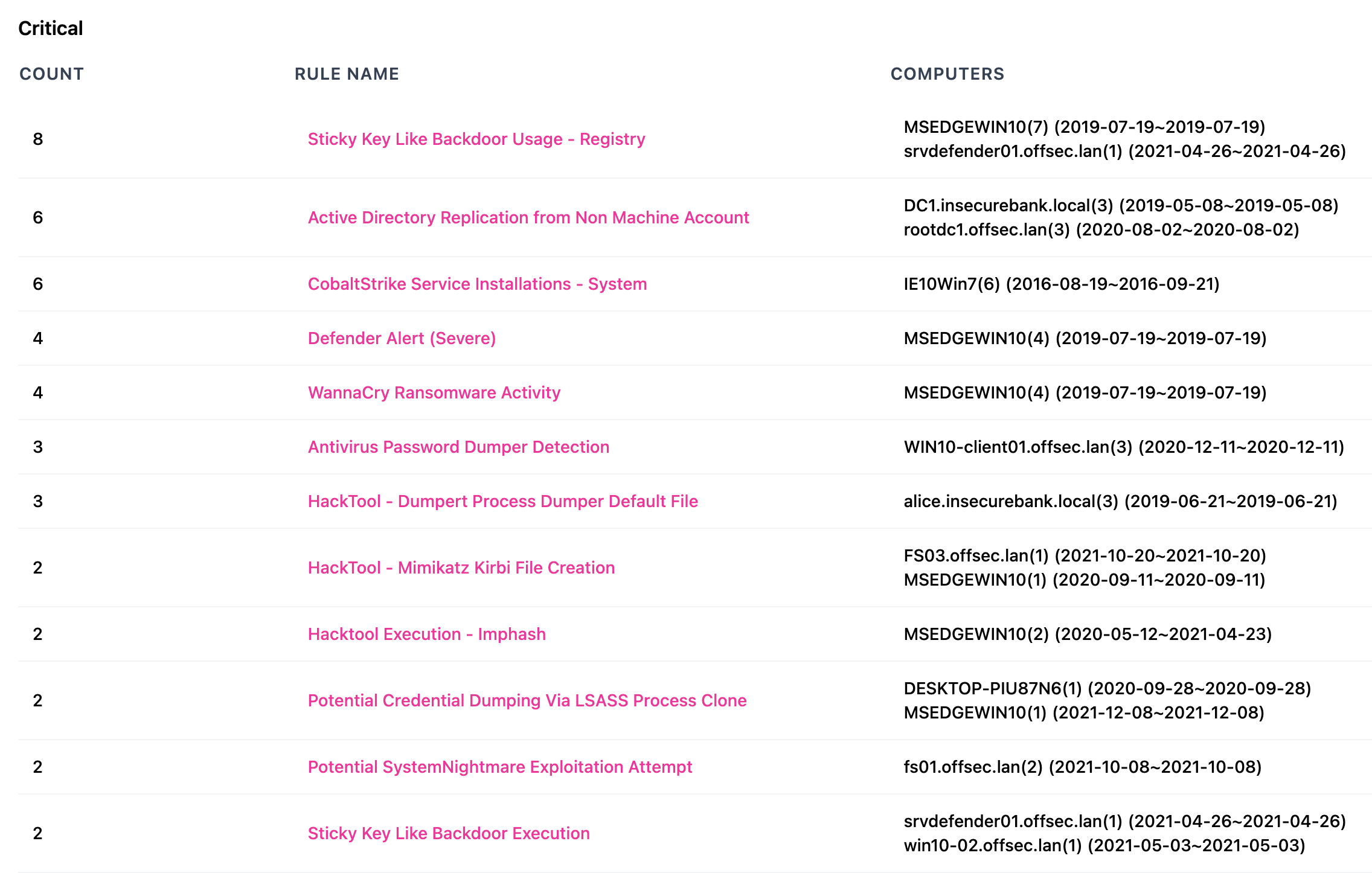
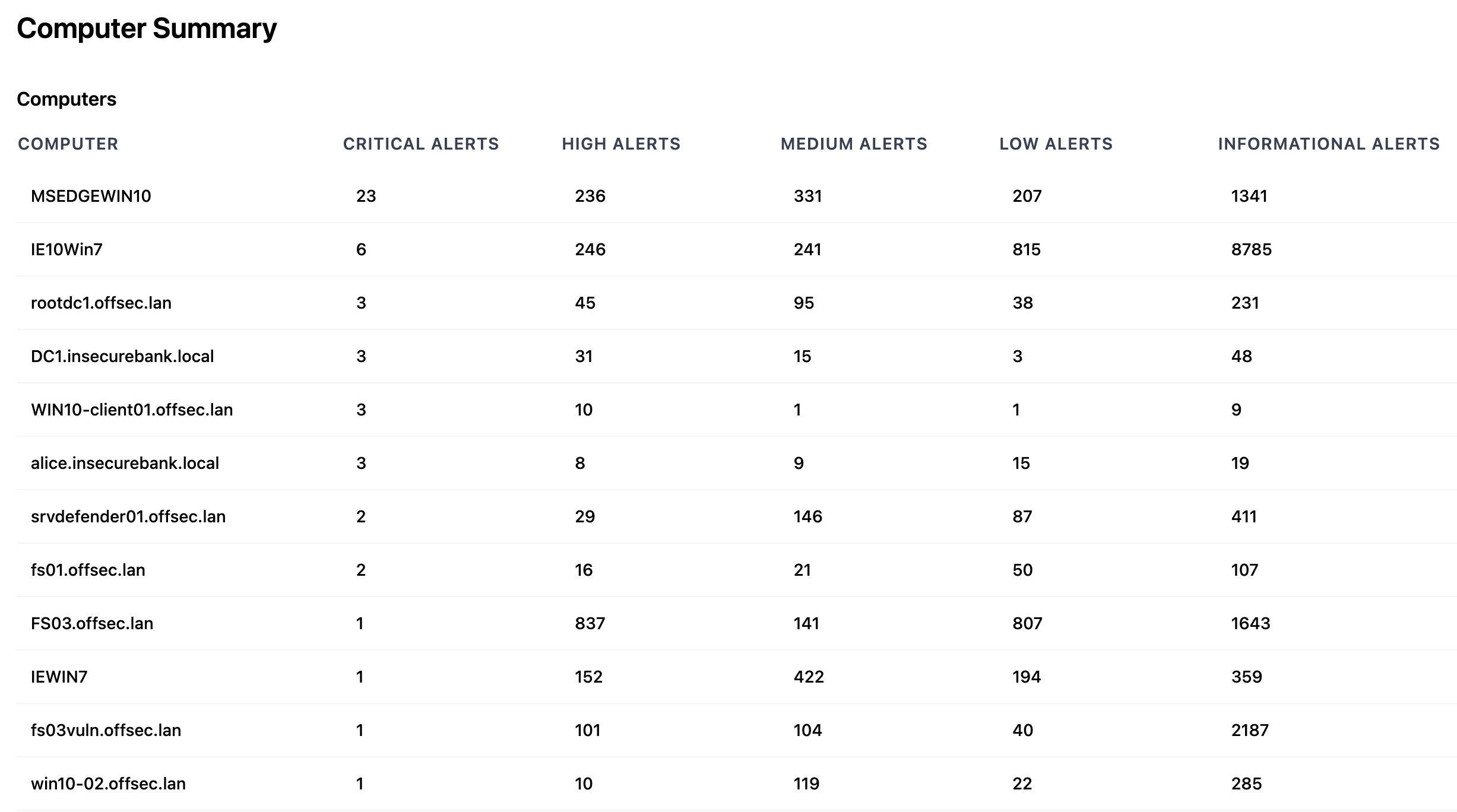
html-report screenshots
Rule Summary
Computer Summary
Rule List
html-server command
Create a dynamic web server to view HTML summary reports.
This command first creates an indexed DuckDB database file (default) or SQLite database file in order to perform fast lookups on the data needed to create the summary reports.
It is similar to the html-report command but is more scalable and allows for filtering on dates and rules.
- Input: JSONL
- Profile: Any verbose profile
- Output: By default, will listen on
http://localhost:8823
Required options:
-t, --timeline <JSONL-FILE-OR-DIR>: Hayabusa JSONL timeline file or directory
Options:
-C, --clobber: overwrite the database file when saving (default:false)-p, --port: web server port number (default:8823)-q, --quiet: do not display the launch banner (default:false)-r, --rulepath: path to the Hayabusa rules directory (this is optional but needed to create correct links to the rule files)-s, --dboutput: save results to a database file (default:html-report.duckdborhtml-report.sqlitewith--sqlite)--skipProgressBar: do not display the progress bar (default:false)--sqlite: use SQLite backend instead of DuckDB (default:false)
html-report command example
Prepare the JSONL timeline with Hayabusa:
or
Start the web server:
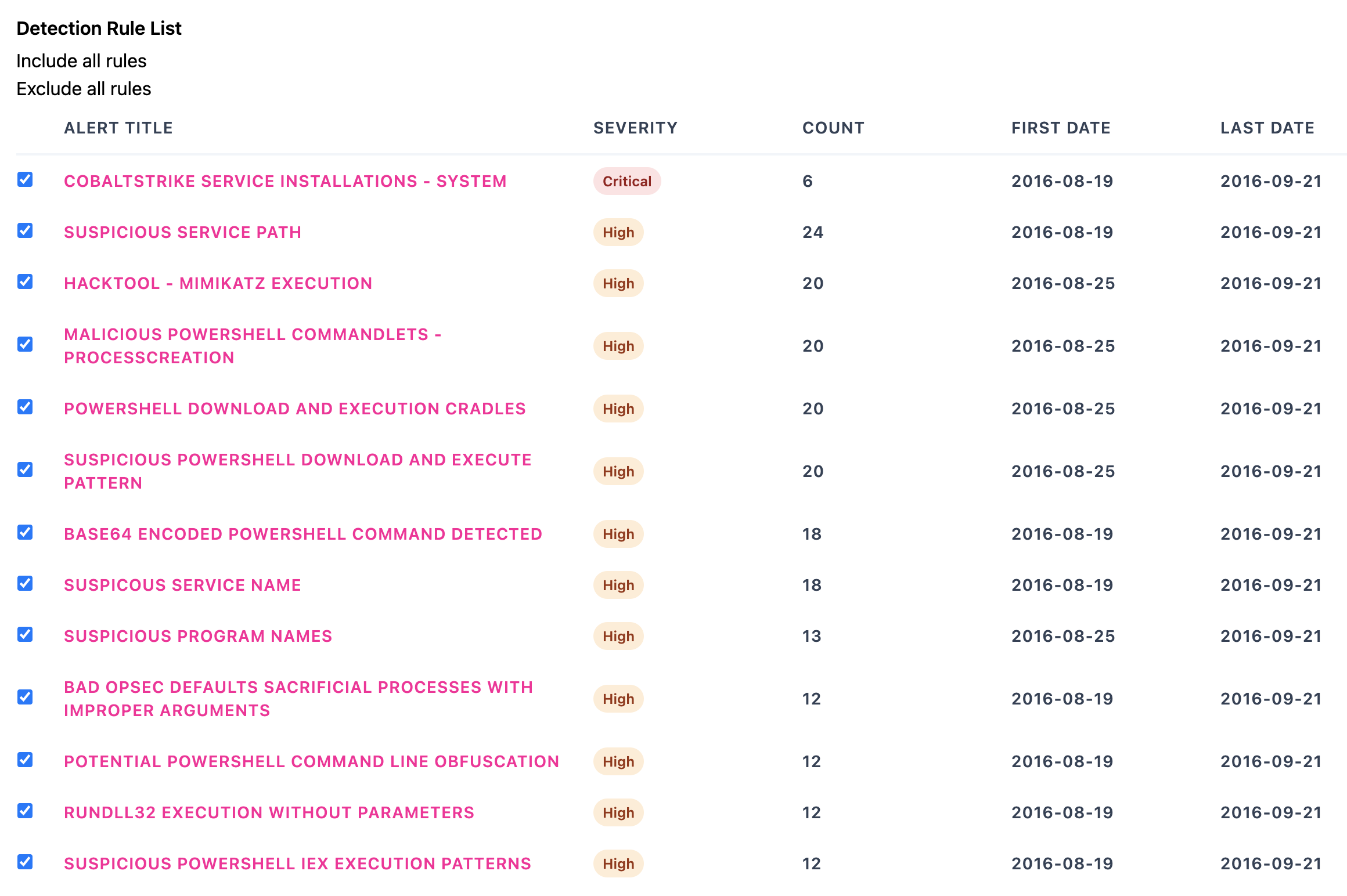
html-server screenshots
Rules List
Computer Summary
Rule Filtering
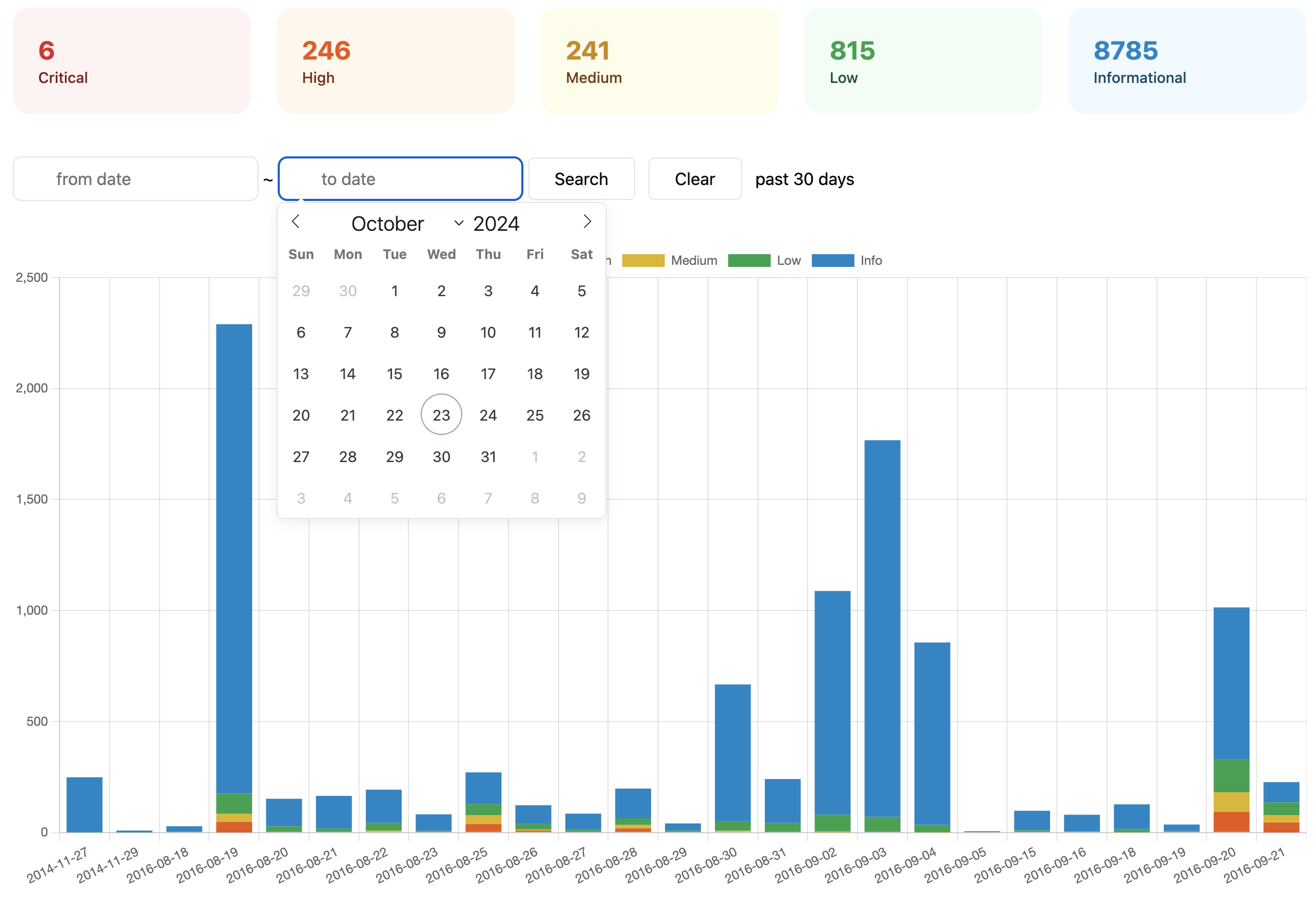
Rule Filtering