TTP Commands
ttp-summary command
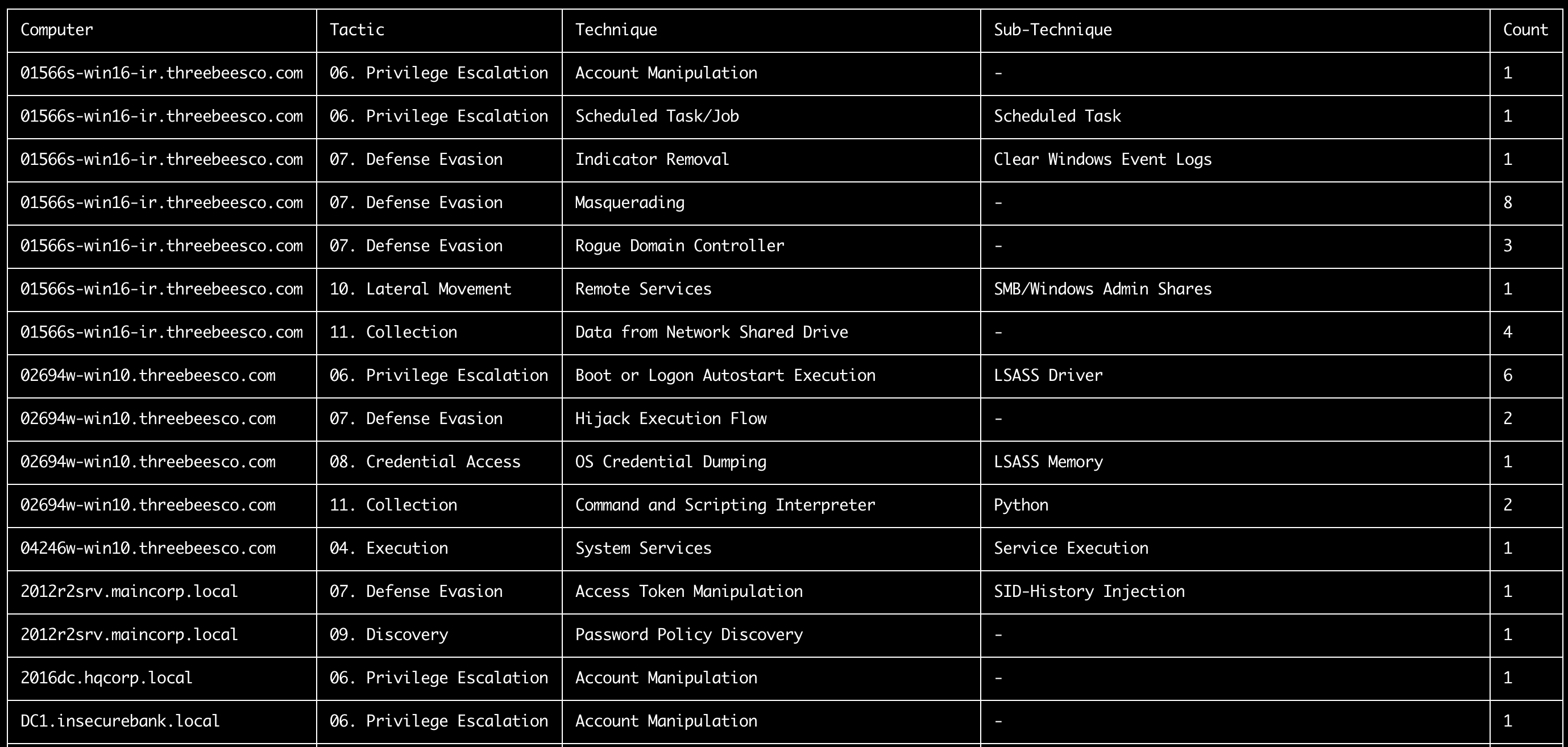
This command summarize tactics and techniques found in each computer according to the MITRE ATT&CK TTPs defined in the tags field of the sigma rules.
- Input: JSONL
- Profile: A profile that outputs
%MitreTactics%and%MitreTags%fields. (Ex:verbose,all-field-info-verbose,super-verbose) - Output: Terminal or CSV
Required options:
-t, --timeline <JSONL-FILE-OR-DIR>: Hayabusa JSONL timeline file or directory of JSONL files
Options:
-o, --output <CSV-FILE>: the CSV file to save the results to.-q, --quiet: do not display logo. (default:false)
ttp-summary command examples
Prepare JSONL timeline with Hayabusa:
Print TTP summary to terminal:
Save the results to a CSV file:
ttp-summary screenshot
ttp-visualize command
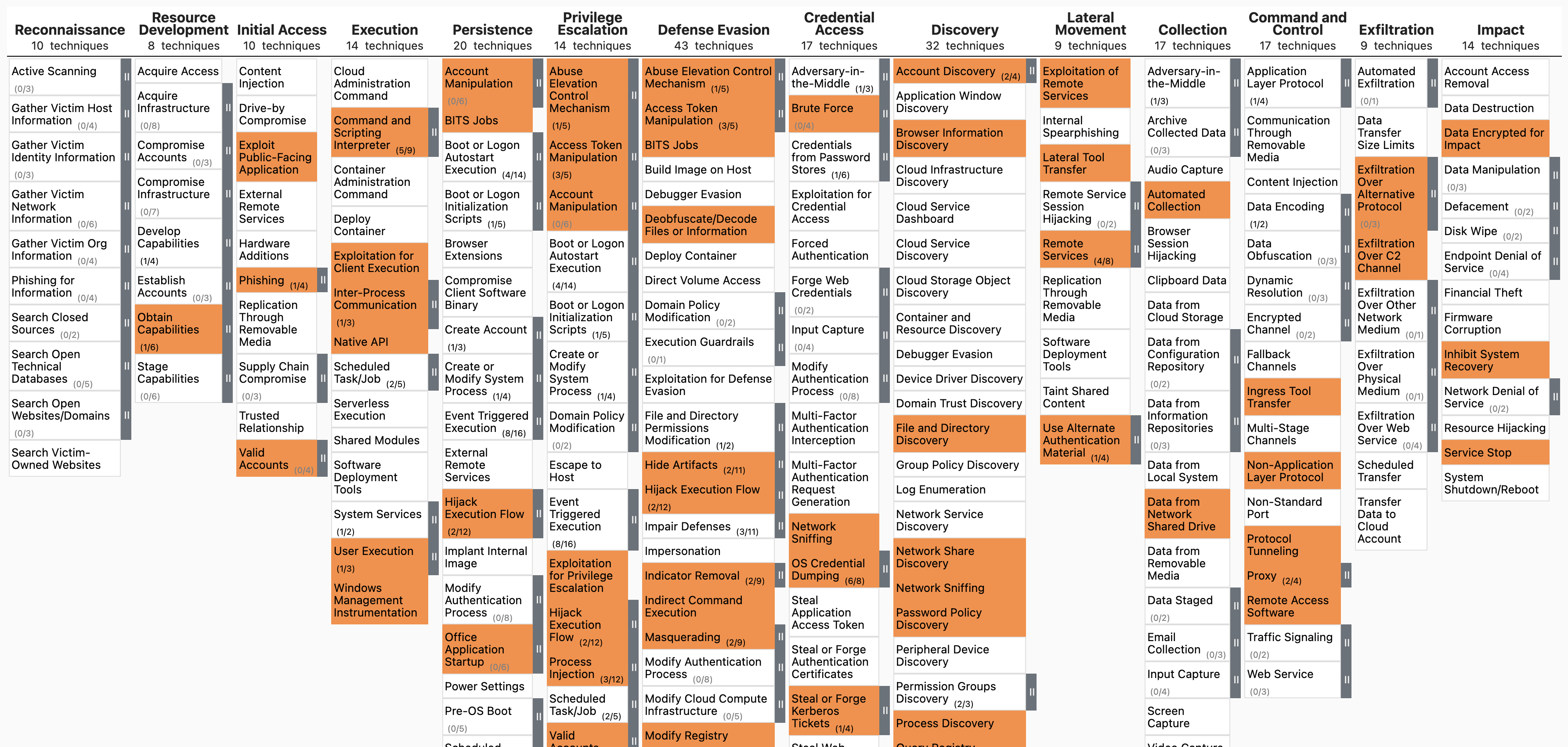
This command extracts TTPs and create a JSON file to visualize in MITRE ATT&CK Navigator.
- Input: JSONL
- Profile: A profile that outputs
%MitreTactics%and%MitreTags%fields. (Ex:verbose,all-field-info-verbose,super-verbose) - Output: JSON
Required options:
-t, --timeline <JSONL-FILE-OR-DIR>: Hayabusa JSONL timeline file or directory of JSONL files
Options:
-o, --output <JSON-FILE>: the JSON file to save the results to. (default:mitre-ttp-heatmap.json)-q, --quiet: do not display logo. (default:false)
ttp-visualize command examples
Prepare JSONL timeline with Hayabusa:
Extract out the TTPs and save to mitre-ttp-heatmap.json:
Open https://mitre-attack.github.io/attack-navigator/, click Open Existing Layer and upload the saved JSON file.
ttp-visualize screenshot
ttp-visualize-sigma command
This command extracts TTPs from Sigma and create a JSON file to visualize in MITRE ATT&CK Navigator.
- Input: Sigma rules directory
- Output: JSON
Required options:
-r, --ruleDir <SIGMA-DIR>: Sigma rules directory
Options:
-o, --output <JSON-FILE>: the JSON file to save the results to. (default:mitre-attack-navigator.json)-q, --quiet: do not display logo. (default:false)
ttp-visualize-sigma command examples
Clone the Sigma repository:
Extract out the TTPs from Sigma and save to mitre-attack-navigator.json: